
Anytime you need support, you have two primary options:
-
Use the search function in the Help Center.
-
Send a Support request.
Help Center
-
Select Help Center home page. The appearance of the Help Center may look different depending on the platform you are using.
-
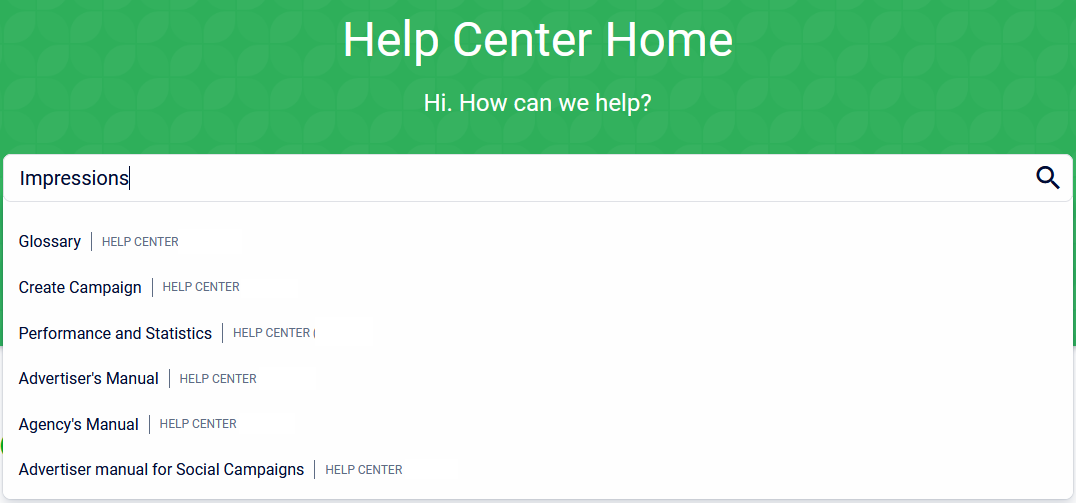
Use the search bar to type in your question or keyword.
-
Select any of the articles from the search results to view them.
Support request
To send a support request directly to the support team via email, follow these steps:
-
Select Support from the top-right menu in the Platform.

-
Fill in the required information in the form. Click Submit.
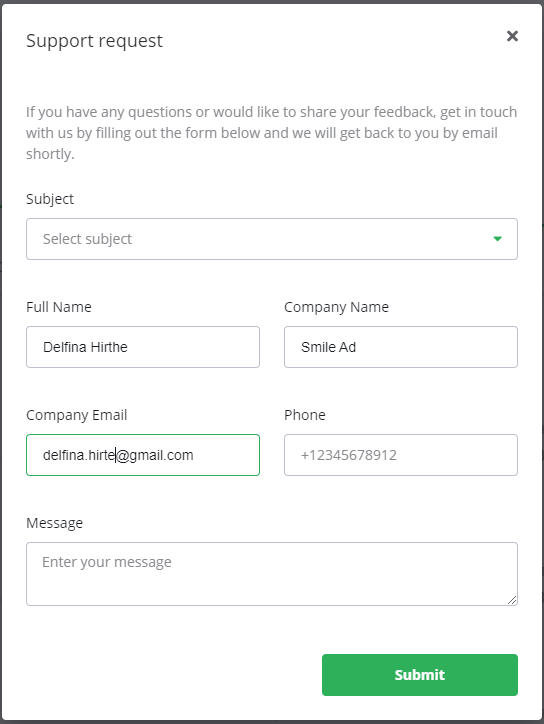
Your request will be handled as soon as possible by the support team.
Frequently Asked Questions
Q: What are the two ways to get support?
A: You can either search for an answer yourself in the Help Center or you can send a Support request directly to the support team by filling out the form.
Q: How do I contact the support team directly?
A: Select Support from the top-right menu in the platform and fill out the form to submit a request via email.
Q: What is the Help Center?
A: The Help Center is a collection of articles and guides that you can search to find answers to common questions.