
The Shopping Cart serves as the central hub for reviewing one or multiple Campaigns. From the cart, you can proceed to the Checkout to pay for all selected items collectively in a single Order.
Note: The payment methods available during Checkout may vary depending on the Platform's configuration.
The Checkout Process
Step 1: Start the Checkout from the Shopping Cart
Once your Campaigns are created, you can begin the checkout process from the Shopping Cart.
-
Navigate to the Shopping Cart by clicking the Shopping Cart icon.

-
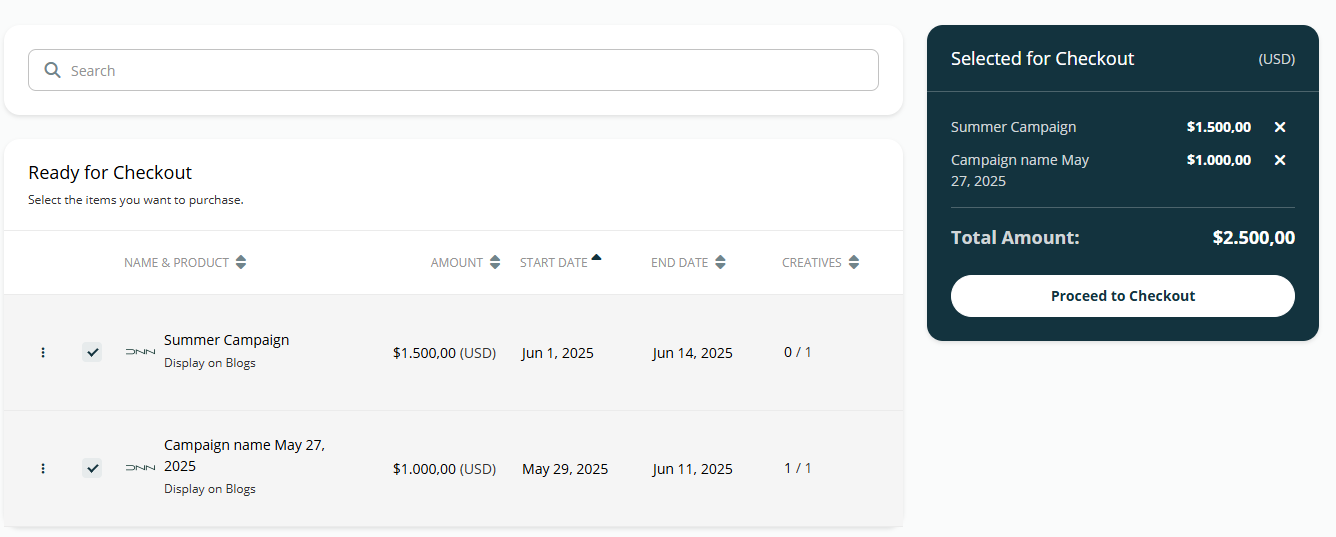
In the Ready for Checkout section, select the checkboxes for all Campaigns you wish to include in your Order.
-
Note: Campaigns listed in the Needs Updating section must be adjusted before they can be added to an Order.
-
-
Click the Proceed to Checkout button.
After you proceed, the Platform will check for product availability. If there are any issues, you will be notified and can adjust your Campaigns within the Shopping Cart.
Step 2: Review the Payment Page
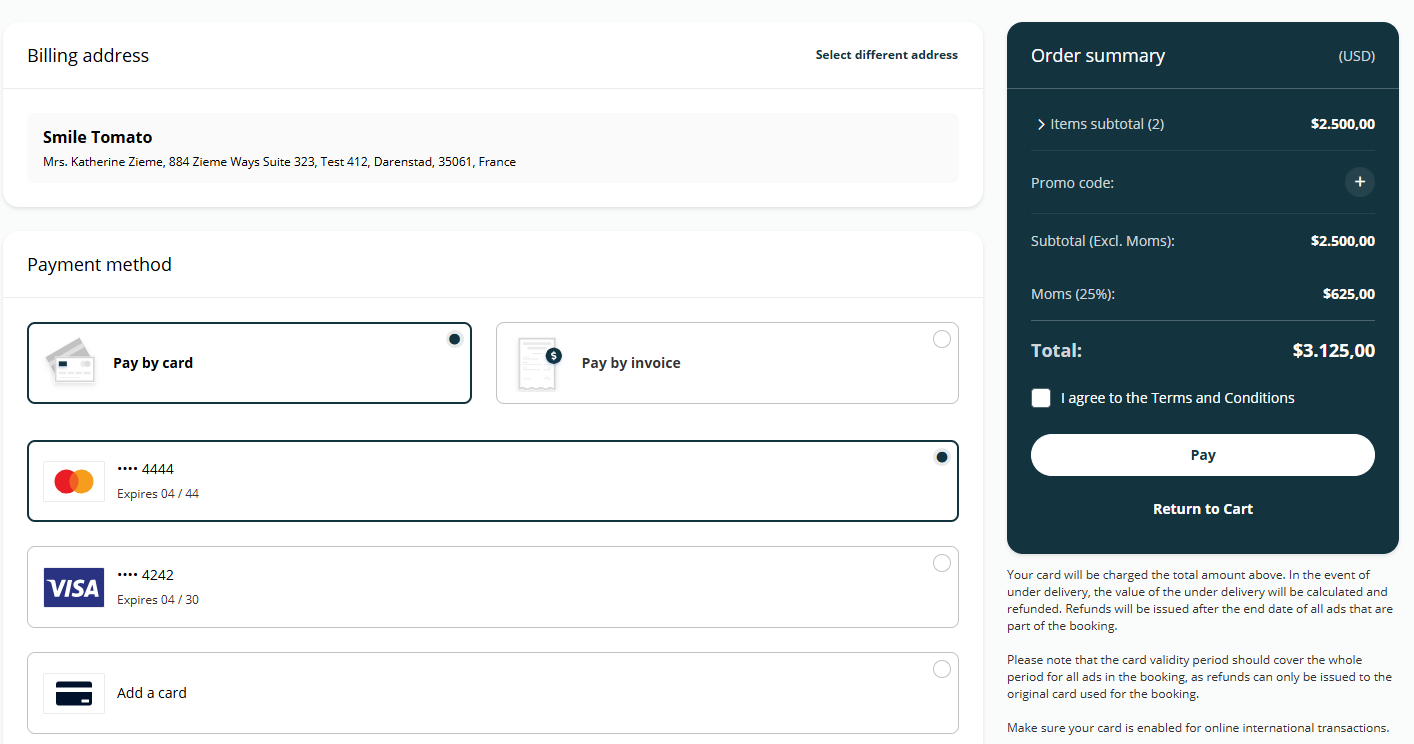
After clearing the availability check, you will be directed to the Payment page. This page summarizes all Campaigns included in the Order and is where you apply discounts and select your payment method.
Step 3 (Optional): Apply a Promo Code
If you have a promo code, you can apply it on this page to receive a discount.
-
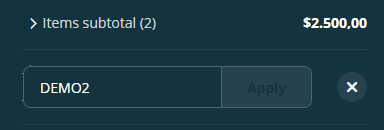
Click the Plus icon next to the promo code field to expand it.
-
Enter your promo code and click Apply.
-
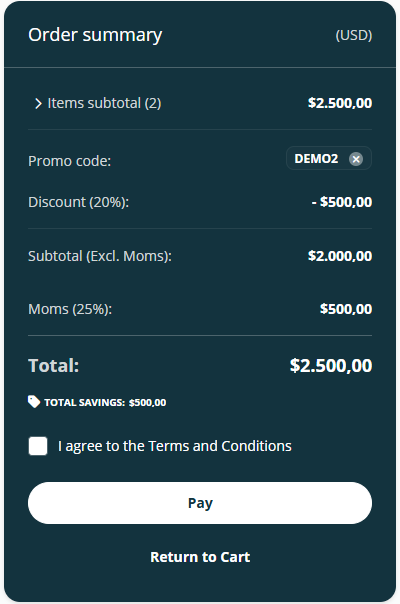
If the code is valid, the discount will be applied to your Order total.
-
Note on Invalid Codes:
A promo code may be invalid for several reasons, such as an expired date, a currency mismatch, or if the Order does not meet the minimum required amount. If the code is invalid, a message will explain why.
Step 4: Complete Your Payment
-
On the Payment page, review your Order one last time.
-
Select your desired payment method. By default, you can pay with a Debit or Credit card. If you wish to pay by Invoice, please contact the Publisher to see if this option is available.
-
Click the Pay button to finalize the transaction.
-
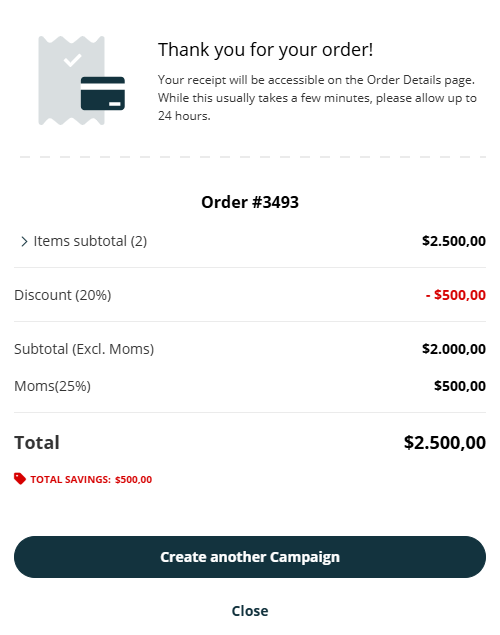
Your card will be charged, and you will be redirected to an Order summary page, confirming your purchase.
Frequently Asked Questions
Q: What is the difference between Ready for Checkout and Needs Updating?
A: Campaigns in Ready for Checkout are complete and can be paid for. Campaigns in Needs Updating have issues, such as insufficient product availability, and must be edited before you can proceed.
Q: Why is my promo code not working?
A: Your promo code could be invalid for several reasons: it may be expired, you may have used it before, it might be for a different currency, or your Order may not meet the minimum purchase amount.
Q: Can I pay by Invoice?
A: The default payment method is Debit or Credit Card. To inquire about paying by Invoice, you must contact the Publisher directly.